
Grouping ticket sales with report groups
Report groups are categories you can define for totalling ticket sales on reports. Groups are store-wide, which lets you compare sales between events.
Set up your groups
Go to Report Groups, under Reports in your dashboard. New stores start with Tickets and Add-ons. Rename those, add your own, and use Organize to drag them into the order you'd like them totalled in.
Pick names that are useful across your whole store rather than for one event: Weekend Passes, Camping, Merch, Donations.
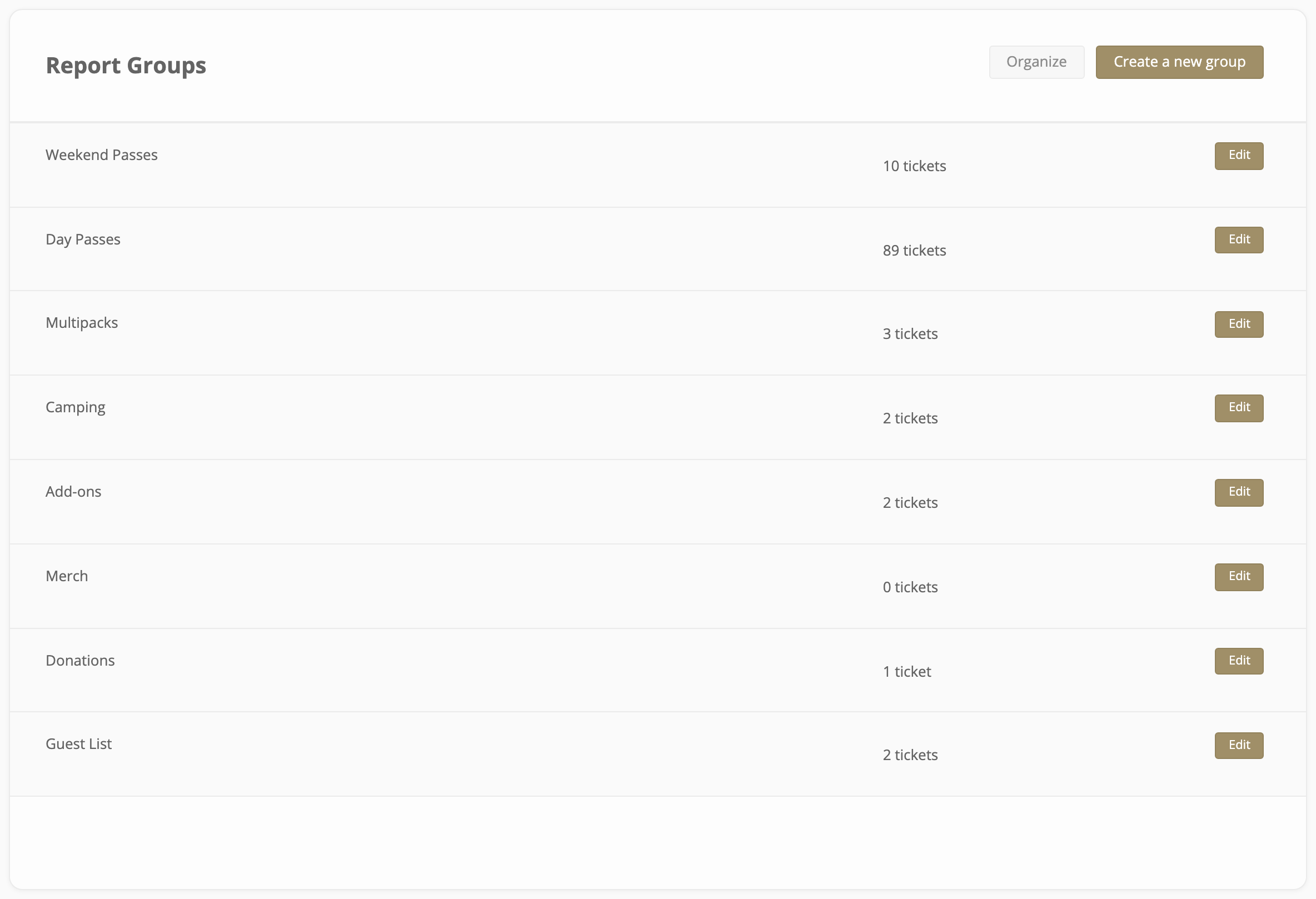
Renaming a group re-labels it everywhere, including on reports for events that have already happened.
Put your tickets in a group
The quickest way is the ticket review screen. Open an event, click Review Setup, and choose the Reporting tab. Every ticket in the event is listed with the group it's in.
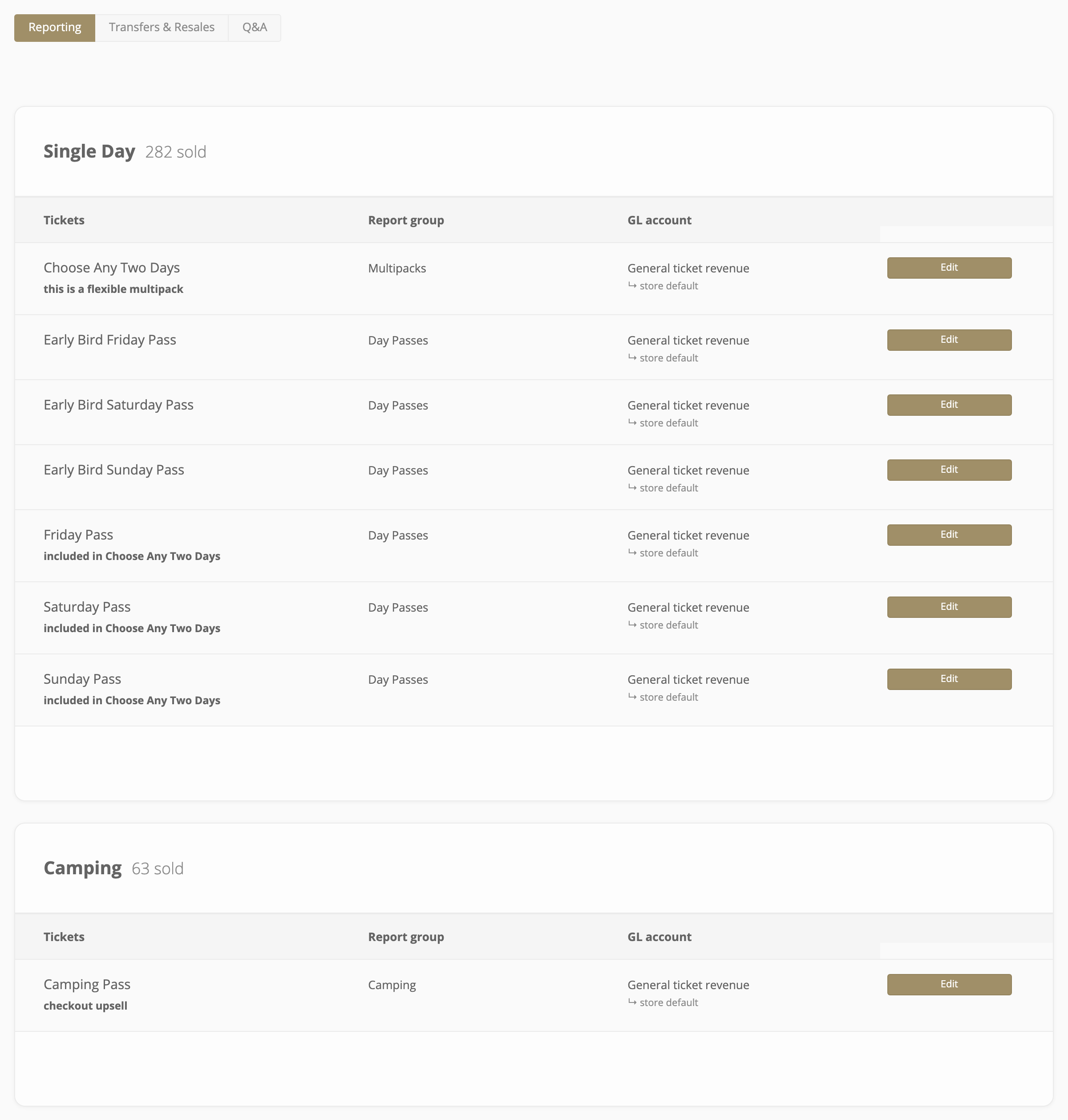
A ticket's group is also on its own Advanced tab, alongside its GL account.
Any ticket you leave out is totalled as Ungrouped.
Read the totals on your event report
At the end of the itemized table on an event's sales report is a By Report Group block.
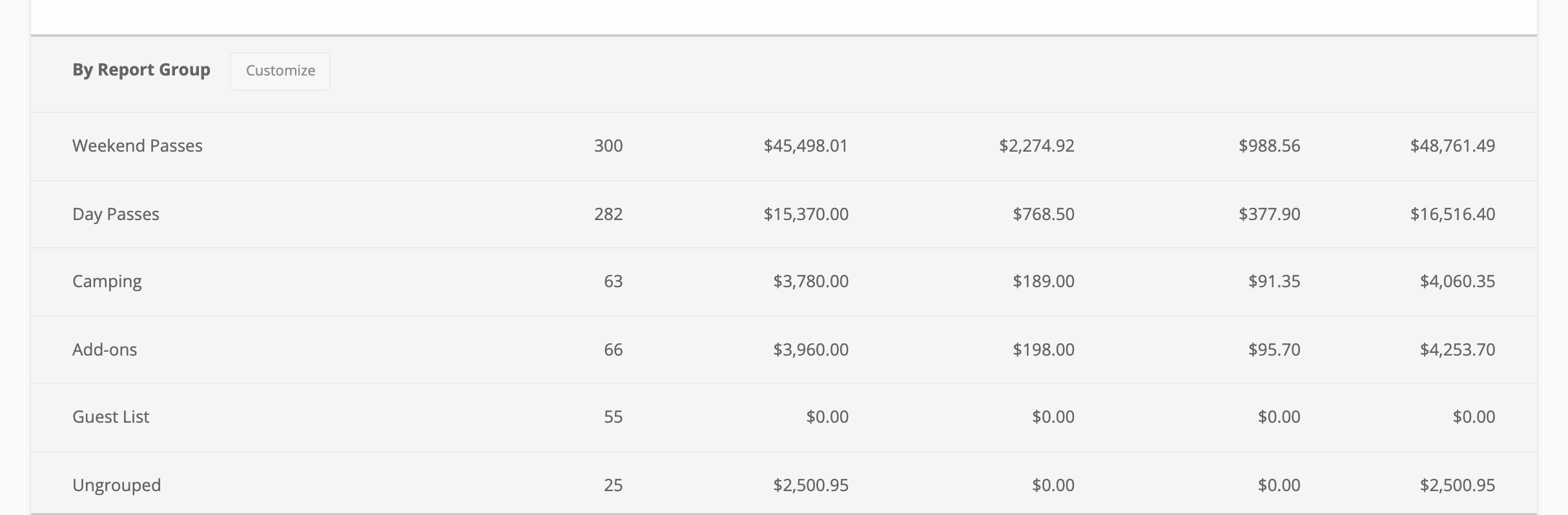
The Report Groups filter at the top of the report narrows both the chart and the table to the groups you choose, and both of the report's CSV downloads include a report group column.